
UI Translation for HMI and Machine Software: Screen Texts That Match the Manual
UI translation for machinery means translating HMI screens, PLC alarm and message texts, firmware strings and service software so that every term on the panel is identical to the user manual, fits the display’s character limits and keeps placeholders intact. DEMA Solutions translates interface strings and documentation from one shared glossary and translation memory, release after release.
Who this guide is for
This guide is written for the people who own the words on a machine: technical documentation managers, automation and PLC engineers, software developers and product managers at manufacturers of packaging lines, process plant, lifting equipment, machine tools, HVAC units and automation systems. Typically the manual is handled by the documentation department, while the HMI texts are exported by an engineer a few days before commissioning, sent out as a spreadsheet and imported back with little time to check them.
The questions are practical. Why do operators abroad call the service line about an alarm the manual explains perfectly well? Which file goes to the translator? How do you stop a German text from overflowing a button, and keep every language in step with the manual from release to release?
What counts as machine software
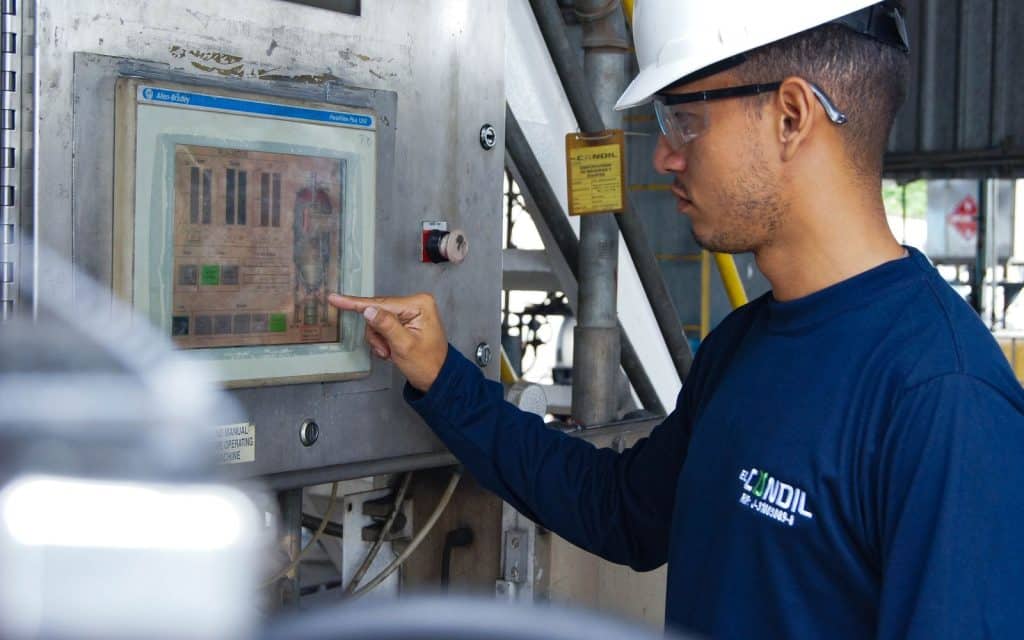
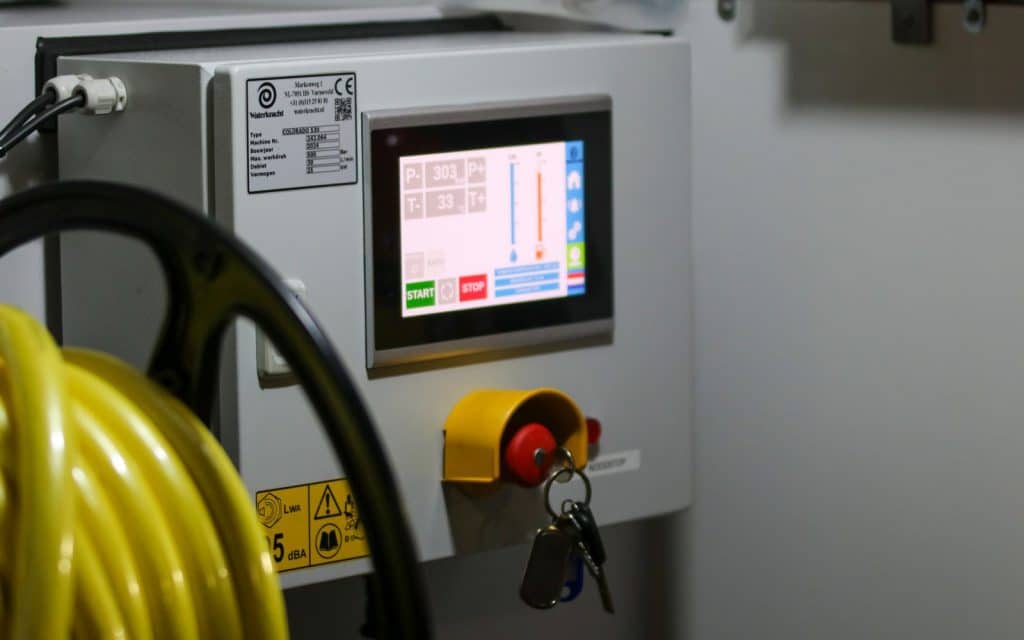
A modern machine speaks to its users in more places than the manual. The operator panel, or human machine interface, shows menus, buttons, parameter names, status messages and on-screen help. Behind it, the PLC project holds alarm and message texts, often hundreds or thousands of them, each with a number, a short text and sometimes a longer cause and remedy. A supervisory or SCADA system for a whole line adds its own screens, trends and event logs.
Then there is the software the service technician sees: firmware strings on drives and controllers, diagnostic and commissioning tools, configuration software, and increasingly a mobile app or web portal for machine status and maintenance. Each piece is often developed by a different team, in a different format. Apps and portals of this kind follow the wider software localization process, from preparing the code and extracting strings to pseudo-localization and in-context review.
For translation, they share three traits. The texts are short and often appear without a sentence around them. They live in files that software reads, so a broken character or a missing variable can stop a build. And they describe exactly the same components, functions and hazards as the user manual, which is where most problems start.
Why the screen and the manual must use identical terms
An operator standing in front of a stopped machine reads the alarm on the panel, then looks it up in the manual. If the panel says “Guard door open” and the manual calls the same part “protective cover”, the operator has to guess whether they are the same thing. In an Italian original the two texts may have been perfectly aligned; after translation, by different people at different times, they often are not.
Safety. Warnings and alarms exist to prompt the right action quickly. A mismatch between the wording on the screen and the wording in the safety instructions slows that action down at exactly the wrong moment, and it undermines the risk reduction your documentation is supposed to provide.
Support calls and downtime. When the operator cannot match an alarm to a remedy, the next step is a call to your service line or your local distributor. Many of those calls are not technical problems at all, just terminology problems, and each one costs your service team time and your customer production.
The fix is not better proofreading at the end. It is treating the user interface translation and the documentation translation as one body of content with one approved vocabulary.
The Machinery Regulation brings the interface into scope
From 20 January 2027, Regulation (EU) 2023/1230 replaces the Machinery Directive. Article 10(7) requires machinery to come with instructions for use and safety information in a language users can easily understand, as determined by each Member State. Annex III, section 1.7.1 extends the language rule to written or verbal information and warnings on the machinery itself, while preferring readily understandable symbols or pictograms where possible.
Section 1.7.1.1 goes further for the interface: visual display units and other interactive means of communication between the operator and the machine must be easily understood. In practice, that brings HMI screens, alarm texts and on-screen help into the same compliance picture as the manual. The Regulation also allows instructions for use to be supplied digitally, including when they are embedded in the machine’s software, provided users can print, download and save them.
This raises the stakes. A machine whose manual exists in Polish while its panel only offers English and Italian is harder to defend, and a digital manual shown on the HMI follows the same language rules as the printed one. Our article on what the Machinery Regulation requires for translated instructions covers the wider documentation set, and the guide to user manual translation explains the general rules for instructions across EU product legislation.
Why UI translation is a different job from translating a manual
A manual translator has paragraphs and illustrations to work out meaning. An HMI translator often has a list: a key, two or three words of source text, and a column to fill in. “Start”, “Reset”, “Empty”, “Feed” or “Open” can each be a verb or a noun, a command or a state, and the correct translation in German, Spanish or Polish depends on which.
That is the core difference between UI localization and document translation. The same English word may need two different translations on two different screens, and two different source words may need the same translation because they describe the same function. Without context, even an excellent translator will guess, and some guesses will be wrong.
Strings also bring constraints a manual does not have: fixed field lengths, runtime variables, forced abbreviations and file formats that must return in exactly the structure the software expects.
Character limits, text expansion and fonts
Most HMI fields have a fixed width. A button may hold a dozen characters, an alarm line perhaps forty, a parameter name even fewer. Translations from English or Italian into German, French, Spanish or Polish are often noticeably longer, and German compounds can make a single word longer than the whole field.
When a text overflows, the panel either cuts it off, wraps it in the middle of a word or pushes other elements out of view. A truncated warning is not a cosmetic issue; it can change the meaning entirely. The only reliable way to manage this is to give the translator the limit for each string, in characters or in pixels where the display uses proportional fonts, and to check the result against that limit before import.
Sometimes the text simply cannot fit. Then the options are an approved abbreviation recorded in the glossary, a shorter source text, or a wider field in the next software version. Agreeing abbreviations once per language stops every translator inventing their own.
Fonts and character sets need the same early attention. A panel that displays Italian perfectly may lack the characters for Polish, Czech, Greek or Cyrillic, and older controllers may not handle Unicode at all. Check before translation starts, not at commissioning with the customer watching.
Placeholders, variables, units and alarm numbers
Interface strings are full of things that must not be translated. Placeholders such as %d, {0} or %s are replaced at runtime by a value, a unit or a station number, and their order can matter. Some formats allow the translator to reorder them, others do not. Markup tags, line breaks and escape characters have to survive exactly as they are.
A missing or altered placeholder may produce a meaningless message, a software error or a value in the wrong place: “Oil temperature 85 °C too high” can lose its number or its unit. That is why string translation needs automated checks comparing placeholders, tags and length in every segment, alongside the human revision of meaning.
Units, number formats and alarm codes need explicit rules too. Decimal separators are set either by the software or by the translation, never both, and alarm numbers and parameter codes stay unchanged, because the manual and the service technician on the phone refer to them.
String exports: Excel, CSV, XLIFF, resx and other formats
How the texts leave the engineering environment decides much of the quality that comes back. Machine builders typically work with some combination of the following:
- Excel or CSV exports from the PLC or HMI engineering software, one row per text and one column per language, often with alarm numbers and comments
- XLIFF files, the exchange format designed for translation, which carry source, target, notes and length limits in one structure
- resx, XML, JSON or properties files from service tools, configuration software and apps
- Text tables in firmware, usually exported to a spreadsheet by the developer
Spreadsheets are the most common and the most fragile: columns shift, hidden rows travel with the file and the source can be overwritten by accident. Whatever the format, keep a stable unique key for every string, export only new and changed strings where possible, and send the character limit and developer comments in their own fields. The file must come back in the same structure and encoding, ready for import without manual repair.
Context and screenshots
The best single investment in HMI translation is context. Screenshots of the main screens, a short description of what each screen does, the alarm list with cause and remedy, and access to the current manual allow the translator to see whether “Empty” is a command to discharge the hopper or a status saying the hopper has no product.
Developer comments are the next best thing. A note such as “button, verb, max 12 characters” removes most ambiguity in seconds. Keep strings grouped by screen or function; an alphabetical list separates texts that belong together. Remaining questions should go to someone who knows the machine: a short query sheet answered by the automation engineer is far cheaper than a correction cycle after release.
Pseudo-localization and in-context review
Pseudo-localization is a test you can run before a single word is translated. The software replaces each source string with an artificially longer version using accented and special characters, then the team walks through the screens. Texts that are cut off, hard-coded strings that were never exported, and characters the font cannot display all become visible immediately. Fixing them at this stage costs a fraction of fixing them in fifteen languages later.
After translation, the most valuable check is on the real screen or a simulator. A reviewer who knows the machine, such as a local engineer or distributor, steps through the panel and confirms that texts fit, read naturally and match the manual. Their corrections belong in the translation memory and glossary, not in an email, so the same fix is never needed twice.
One glossary and one translation memory for UI and documentation
The most effective decision a machine builder can make is to stop treating the HMI and the manual as two translation projects. One multilingual glossary, approved by your engineers, defines the names of components, functions, operating modes and hazards in every language. Both the string translator and the manual translator use it, and both are checked against it. A managed terminology service makes this practical across languages and product lines.
The glossary needs entries for the interface specifically: the approved abbreviation for each long term, the form used on buttons, and terms that must never be translated. Our article on keeping technical terminology consistent across translators and suppliers explains how to build one and keep it alive.
One shared translation memory completes the picture. When the alarm text “Emergency stop activated” has an approved translation, the same wording should appear in the troubleshooting chapter, the service manual and the app. If your existing HMI texts and manuals were translated separately in the past, translation memory alignment can turn those legacy bilingual files into a usable memory, and the inconsistencies it uncovers become the first glossary decisions. The memory should be yours, in a portable format, which is the subject of who owns your translation memory.
Release by release: keeping screens and manual in step
Machine software is never finished. Each new machine version, customer option or firmware update adds and changes strings, and the manual changes with it. If each release is translated from scratch or by a different person, terminology drifts, and the cost of every update stays high.
A release-based process looks different. The engineer exports only the new and changed strings, with their keys and limits. The translation memory supplies everything already approved, and the translator works only on what is new, using the shared glossary. Before import, automated checks confirm placeholders, tags and length. The manual update for the same release goes through the same memory and glossary, so a renamed function changes on the screen and in the documentation at the same time. A leverage report shows how much of each release came from reuse, which makes the cost of every update predictable.
Keep each translated string file under the same release number as its software, and the manual edition aligned with it, so the panel and the manual always describe the same machine.
A practical HMI translation process, step by step
Start with an inventory of every place your machine speaks to users: panel, alarms, firmware, service tool, app, machine labels and manuals, with the format, owner, character limits and required languages for each. Many manufacturers discover here that several teams buy translation independently.
Next, prepare the terminology. Resolve differences between panel and manual in your source language first, then have your engineers approve the target terms, abbreviations and the list of texts that stay untranslated, such as alarm codes.
Then prepare the files: one export format per software component, with stable keys, limits and comments, tested with pseudo-localization and sent with screenshots and the current manual.
Translation follows, by translators who understand machinery, with a second linguist revising and automated checks for placeholders, tags, numbers and length. Review the imported strings in a test build or simulator, feed every correction back into the memory and glossary, and release software and documentation together with matching version numbers.
What to ask a supplier about HMI translation
Not every translation supplier is set up for string files. Before you send your first export, these questions separate a supplier that has done it before from one that will learn on your project:
- Will you translate our HMI strings and our manuals with the same glossary and the same translation memory, and who approves new terms?
- How do you check placeholders, tags and character limits before you return the file?
- Can you return the file in exactly the same structure and encoding, ready for import?
- Will the memory and glossary belong to us, in a portable format we can take elsewhere?
- How do you handle queries, screenshots and in-context review with our engineers?
Our guide to choosing a technical translation company adds the broader questions about quality, process and cost.
How DEMA Solutions handles UI translation for machine builders
Our technical translation services cover the whole documentation set of a machine, including HMI and software panels, user and maintenance manuals, safety procedures and declarations of conformity. For interface strings, apps and service software, our software and technology translation services handle resource files such as JSON and XML in their native structure, with automated checks for broken variables, truncated strings and formatting before anything reaches a release build.
Your engineers can approve the glossary we build with you, and their decisions then control every translation, on the screen and in the manual. Existing HMI texts and manuals can be aligned into a translation memory instead of being discarded. The process is ISO 17100 certified, with a second qualified linguist revising every translation, and translations reused from the memory are checked again in sensitive projects. Our in-house team for multilingual desktop publishing then lays out the manuals in their original formats, and memories and glossaries stay yours, delivered in portable formats. We work with teams in Italy, Serbia and Spain, and our translation services for manufacturers treat software and documentation as one project.
Where TUBE fits
For machines whose software and documentation change with every release, TUBE is our solution for keeping that language under your control. Your glossary and translation memory control machine translation, every approved translation goes into a memory you own and can export, and leverage reporting shows how much of each HMI update or manual revision comes from text you have already approved.
Frequently asked questions
HMI translation is the translation of the texts shown on a machine's operator panel and related software: menus, buttons, parameter names, status and alarm messages, on-screen help and service screens. It differs from document translation because the texts are short, often lack context, must fit fixed field lengths and contain placeholders that the software fills in at runtime.
Regulation (EU) 2023/1230 requires written information and warnings on the machinery in a language users can easily understand, as determined by each Member State, and displays and other interactive means of communication that are easily understood. Symbols are preferred where they work, but any text left on a panel falls under the language rule.
Give the translator the character or pixel limit for every string, agree approved abbreviations in the glossary, run pseudo-localization before translation to find fields that are too short, and check every translated string against its limit before import. Then review the result on the real panel or a simulator.
The one your engineering software can export and re-import without manual repair. XLIFF is designed for translation and carries notes and limits; Excel and CSV work well if the structure is fixed, with stable keys and separate columns for limits and comments.
It can help with large, repetitive string sets, especially when it is controlled by your approved glossary and memory. Short interface texts without context are, however, where machine translation is most likely to choose the wrong meaning, so a specialist translator should review every string, and safety-related alarms and warnings deserve particular care.
Because operators read both. If the alarm and the troubleshooting chapter use different words for the same part, users hesitate and call service. One glossary and one memory put the same approved wording everywhere.
UI translation usually means translating the interface texts themselves. UI localization also covers everything around them: date, number and unit formats, character sets and fonts, text length, layout and in-context testing, so the interface works as if it had been designed in the user's language.
Make your screens and your manual speak the same language
If your next machine release needs HMI texts, alarms, service software and manuals in several languages, send us a sample export and your current manual. We will look at your formats, limits and terminology and propose a process that keeps every language in step with your software.
How can we help?
Tell us what you need and we’ll get back to you with the solutions.